
Adobe College + Amazon Design Creative Jam
date: 09/10/2020 - 09/22/2020
type: UX competition
In this Creative Jam, the teams (2-3 people) are required to design a tablet app for high school students to explore the fields of design and learn about design thinking, preparing for their future career and world. Each team is given a week to finish a 15+ unique prototype screen UX design by Adobe Xd.
Our team (team [ ]) consisted of three undergraduate students majoring in Product Design (Amber Li from RISD), Computer Science (Aryan Prinjha from UIUC), and Cognitive Science (me from UCSD), which was a diverse combination for our task. We successfully made most of (95%) our ideas into prototypes and submit the materials on time.
Award
Winning teams - 2nd place (out of 655 teams)

Above: official competition result.
Right: Presentation and Awards event recording.
Outcome
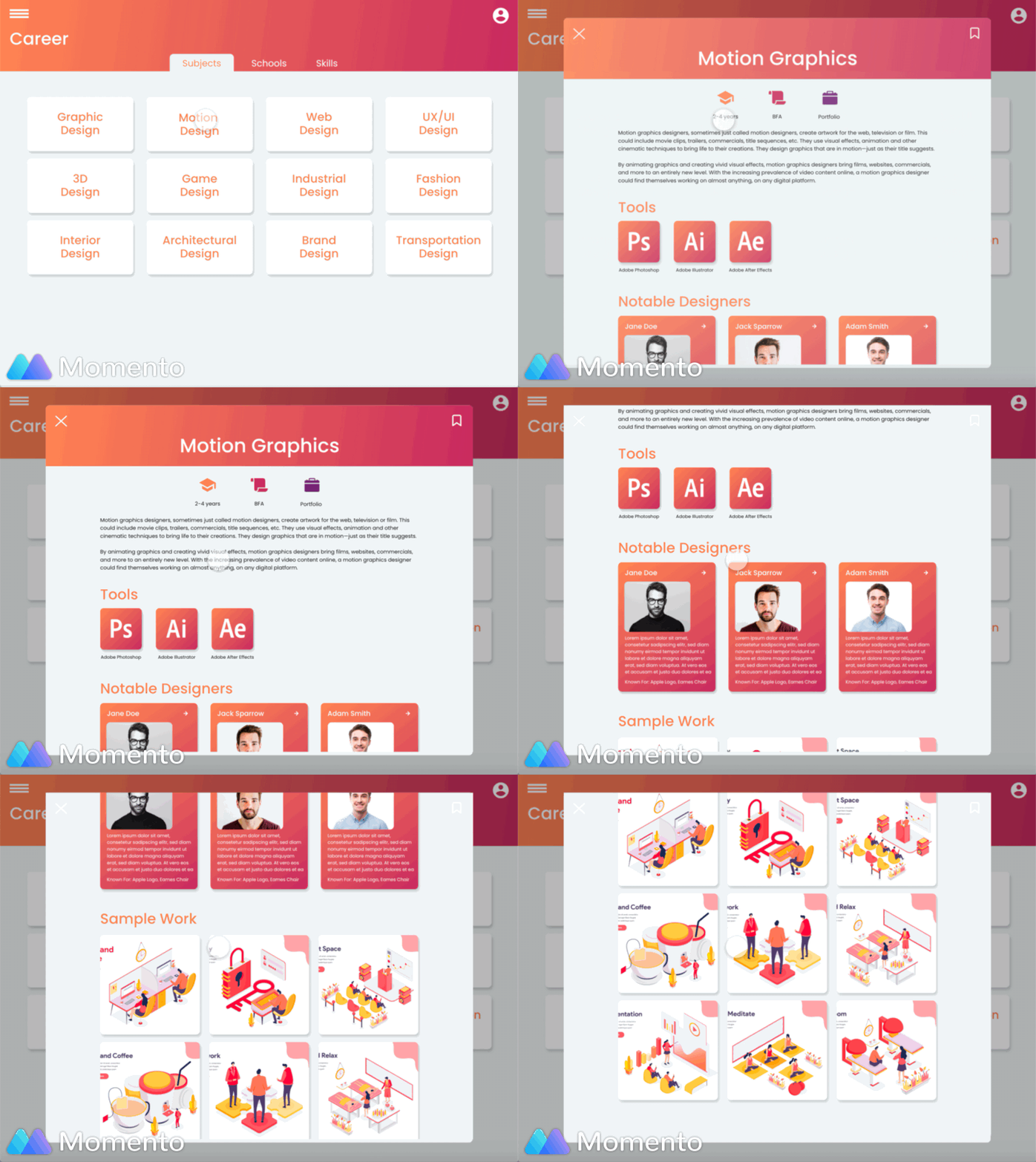
"Design Nation is an iPad app that introduces high school students to the various fields of design and encourages them to kickstart their career in the arts. This is achieved through a curated content catalog that provides information on the different fields of design, software proficiencies required for each, and project examples from industry veterans. This is complemented with 12 weekly challenges, running every quarter, that utilizes gamification principles to keep students engaged and learning. Finishing these challenges provides some perks, like 3-months of free Illustrator access. A daily design quiz provides insight into design thinking. A vibrant warm color scheme caters to the youth culture of today as well as provides an easy navigation experience. The overall navigation of the app is simple and intuitive with a sidebar containing the different resources our site has to offer. Pages include Home, Career, Create, Competition, Community, and Saved." -- by Amber & Aryan
Prototype made by Amber, Aryan, and me. Demo video recorded by me.
-
Pointed out the main focus should be on designing a systematic and structural learning guide instead of an app rich in information but difficult to start with or engage in.
-
The ideas of sign up survey **(a series of questions aiming at generating news and events the user might be interested in), news(latest information happens in the design fields), design encyclopedia(one of the most important features offering clear but comprehensive information of different design fields, including valuable resources, sample works, commonly used tools, ultimate question those designers are trying to solve, etc.), monthly challenges(another important part encourage and guide the teenagers start to learn and experiment with the things in everyday life) are used as the main parts of the app.
Brainstorm
Paper Prototyping

Paper prototype by Amber Li (black mark) with my comment (red and blue mark).
User Interview
-
I had a 20-minute interview with a high school student in California showing him the paper prototyping sketch and asking for his opinion and expectation for this app.
-
The overall feedback was positive. The interviewee liked the features of Community and Competitions, which showed the need for the latest information.
-
The student pointed out the Design Encyclopedia ("Career" in the final version) should offer organized and structural information that was well in accord with the main goal I expected.
UI Information Research
Besides interviewing the target users. I was also assigned to do some research on the common parameters of the iPad Pro screen side we chose.
Wire Framing
I helped Amber created the wire framing in Adobe Xd based on the paper prototype and I made some prototype sample with it


Brand Design

-
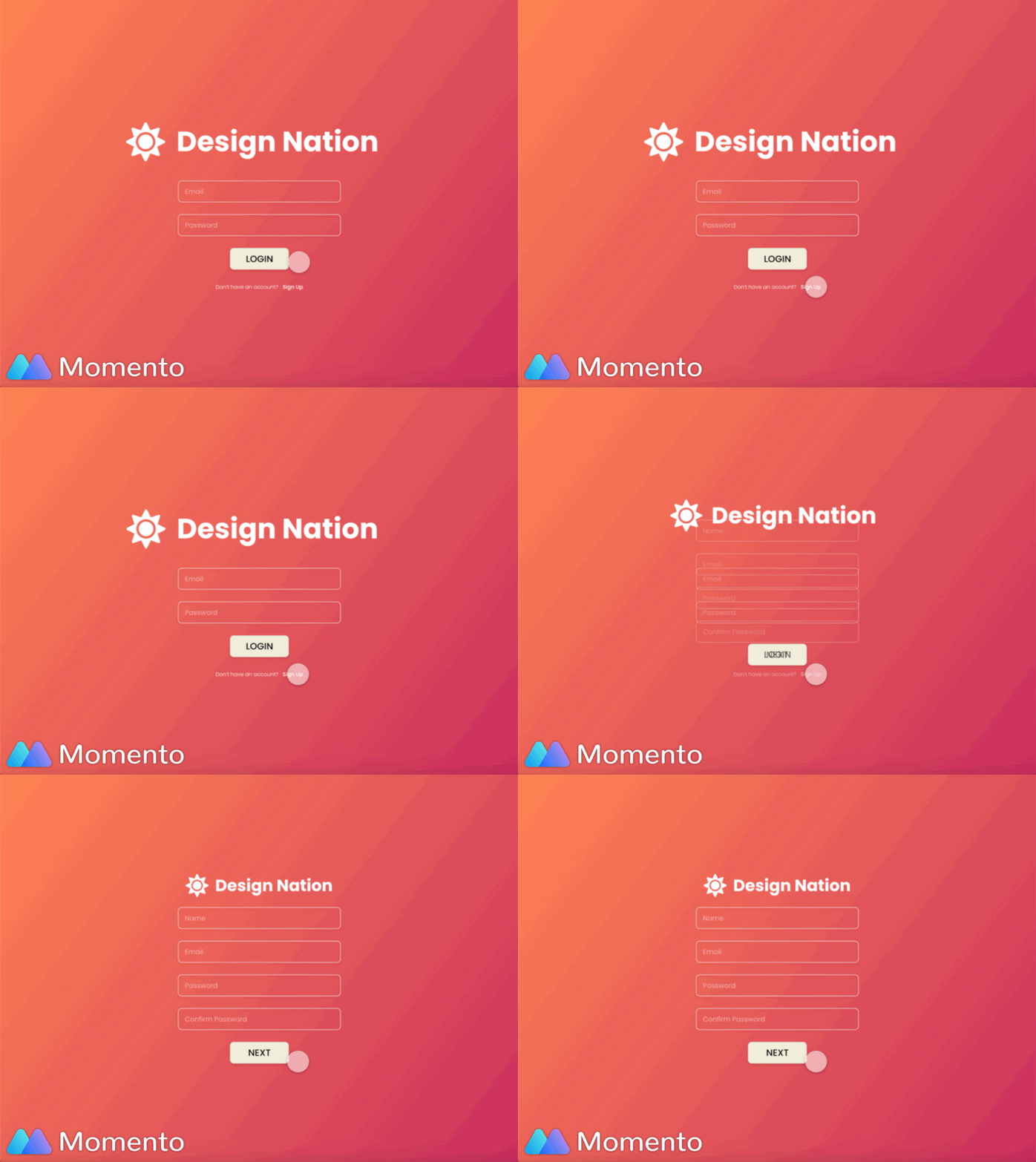
I named the app Design Nation based on its similarity with the word "designation" (which connects with the meaning of landing a job) and our goal of providing a well-organized place with structural information to let the students freely explore.
-
We chose the color theme of warm orange and red to create an energetic and exciting environment attractive to the high school students.
-
The logo came from the Internet resource.
Prototyping
-
Aryan and I completed the prototyping of the Adobe Xd document after the visual design made by Amber.
-
Main motions included: exit and entering of the sidebar, the transformation of the arrangement scrolling the pop-out window...
Comments from Judges
Comments for Our Team
-
Successfully controlling the proper amount of information (not too little or too much) displayed on the screen
-
Maintain simplicity and user intuition is not easy work, and the app made it
-
Suggestions for Hamburger menu: Some important and valuable features got hidden deep in the Hamburger. Perhaps try to put some guide on the home page to lead users to those valuable sections.
Extracted Comments for the Top 10 Teams
Visual design
-
Visually distinguish the tags and buttons
-
Good visual design everywhere is attractive but should let the user know where to focus on (use design to guide their eyes)
-
Color theme: darker but colorful —> skew to more senior group
-
Try to have a nice design above the fold, not have it cut off by the screen
-
Visual design suggestions: cut down the text amount, using vivid color themes, slow down the animation a bit, give the app more free space
UX design
-
Instead of imaging a group of people, do 1-2 specific user personas, specify their journey
-
Nice visual design & a large amount of information: Spend time focusing on the on-boarding
-
Let the users know where to start with, especially for the screen designs with a large amount and variety of information
-
Learn about the design from the perspective of the needs
-
Think about what the user motivation is that let them go through the UX design
Target users (high school students) specific
-
junior get paid in the virtual world — let them see the value of themselves (get design paid)
-
Having direct face-to-face contact with professional designers could be overwhelming for the high school students — creating a built-in conversation between app and users could be a better solution
-
Let the students know what they are doing / whether they are interested in the design fields they choose before login
-
Help students progressively build their confidence during the app using process
-
How do students follow up the app design if they do not know anything
Conclusion
Things I have learned
-
This is the second time I participated in Adobe Creative Jam and I think I learned and improved a lot with more practice and the help of my teammates. Amber was a quite experienced UX designer so during this competition, I got to learn every step of creating UX prototypes, which was a very valuable experience. Therefore, after this event, I thought I was able to work on small projects on my own.
-
For the brainstorming part, the team thought my idea of making a user account into a portfolio was thought to be a bit off the goal we were focusing on. The explanation is an app should not be "good at everything" or it will be good at nothing, which I agreed that I did not pay much attention to. However, I am now still debating on whether there should be a simple feature of concluding the activity or achievement the user makes in an app, saving the time of manually collecting the information from different corners of the app. I will perhaps do some further experiments on this question.
-
The notion of gamification was well researched and applied by my two teammates. They were much more sensitive to the link of a teenager - education - gamification than I did.
-
This was also the first time I got to do UX design for the tablet (our team chose to use iPad Pro 12.9in which was pretty big). It should be noticed that the screen size and common font sizes should be carefully researched ahead.
Things to Improve
-
Similar to last time, my main work was focused on offering content ideas and doing prototyping. The visual design part was done by the more experienced teammates. However, I realized I made a mistake in the order of doing prototyping (animation) and the visual design. Instead of prototyping the screens as soon as they are designed to look "complete," the prototyping should be put at the very end after almost all the visual design and its future editing is finished. I spent too much time prototyping the unfinished design which was not very helpful for the team's whole speed.
-
Although we all agree the final work showed around 95% of our ideas, it was sure that there was still space for improvement. Some detailed but unique ideas I came up with were not incorporated into our demonstration while I actually had the ability to ask for adding them. For example, the "ask questions" part mentioned by the high school student I interviewed and the "ultimate question" I brought up with at the very beginning. To me, I believe adding some unique details could give the app more personality and help it stand out among the apps with similar contents and qualities. It can be understood that with so many new tasks to try in a very short time, it was hard to focus on small details, but, in the future, I will use my projects to reflect this idea.