
Adobe College + Airbnb Creative Jam
date: 04/25/2020 - 04/28/2020
type: UX competition
In the Airbnb Jam, teams were challenged to design a mobile app that "empower families and groups of friends who travel together a collaborative way to document, organize, and share their travel experiences and stays to the larger Airbnb community." Besides, Airbnb encouraged students to add fun and creative features and make the app a way to support the main lodging function of the company.
Each team (2-3 persons) needs to submit an Adobe Xd file with no less than 20 screens in 2 days.
This was the first time I attended Adobe Creative Jam and do a complete UX prototype. Our team consisted of two first-year undergraduate international students from UCSD. Then my teammate Hannah has some experience in UX design before, so she would mainly be in charge of visual design (on Figma, she had some tech issues opening Xd.)
We ended up successfully submitted the work and received a 12-month Adobe subscription but did not get any award.
Outcome
"Whether you are a grandmother who wanted to record each trip memory, a backpacker willing to share about your stories staying in another country, or a freshman planning to take a trip far away right after the pandemic, On Air is where you can create, share, read stories. The goal is to enable trust again by encouraging people to share their experience during travel and especially at an Airbnb stay. On the other hand, you can also take a look at how people talked about their travel and stay experience beforehand. To enable full engagement of members across ages, we make sure texts and buttons are as readable and understandable as possible." -- by Hannah Zeng
Visual design by Hannah Zeng, prototype interaction by me. Demo video recorded by me.
Brainstorm
I firstly drew a brainstorm sketch after the Creative Jam Kick-off to highlight the main goal of this challenge (co-editing, share, and manage trip experiences) and list out the possible modules based on those goals. According to my original ideas (written on the sketch), they mainly include:
-
Basic info: user information, connected with Airbnb account
-
Connections: people the user travels with and keeps in contact with (friends, family members, etc.)
-
Followings/Followers
-
Inspirations: news feed according to users interested topics
-
Stories(Projects): main dashboard where users edit, manage and publish stories.
The bottom half part of the sketch is the paper prototype of the Stories dashboard, with different ways of sorting and detailed information (travel date, read times, co-editing people, updated time, tags).

UI Information Research
-
Looked up the iPhone7 screen size and its normal layout format.
-
Studied the UX design and color theme of the Airbnb app.
-
Researched the Airbnb Cereal font.
Brand Design
-
After researched the color theme and logo of Airbnb I came up with the logo design above with the feature of "a self-connected curvy line." The pattern resembles a hot balloon, indicating the keyword of "travel." At the same time, this logo can also be viewed as connected circles/teardrop shapes, showing the goal of connection and collaboration.
-
I named the app On Air indicating it as an affiliated app of Airbnb. Besides, On Air also has the meaning of broadcasting live and floating in the sky, showing its function of sharing traveling experience anytime and view the traveling stories from around the world.
-
The final logo did not accurately reflect my idea. The shape should be more like a continuous line instead of two sharp teardrops pointing at each other.


Left: brand name and logo sketch by me. Right: Final logo design by Hannah Zeng.
Wire Framing


Some screens I built based on the visual design reference made by my teammate. The one on the very right was an original design I made for Explore, which I personally think had a simpler and unique overview than the final one we submitted.
Prototyping
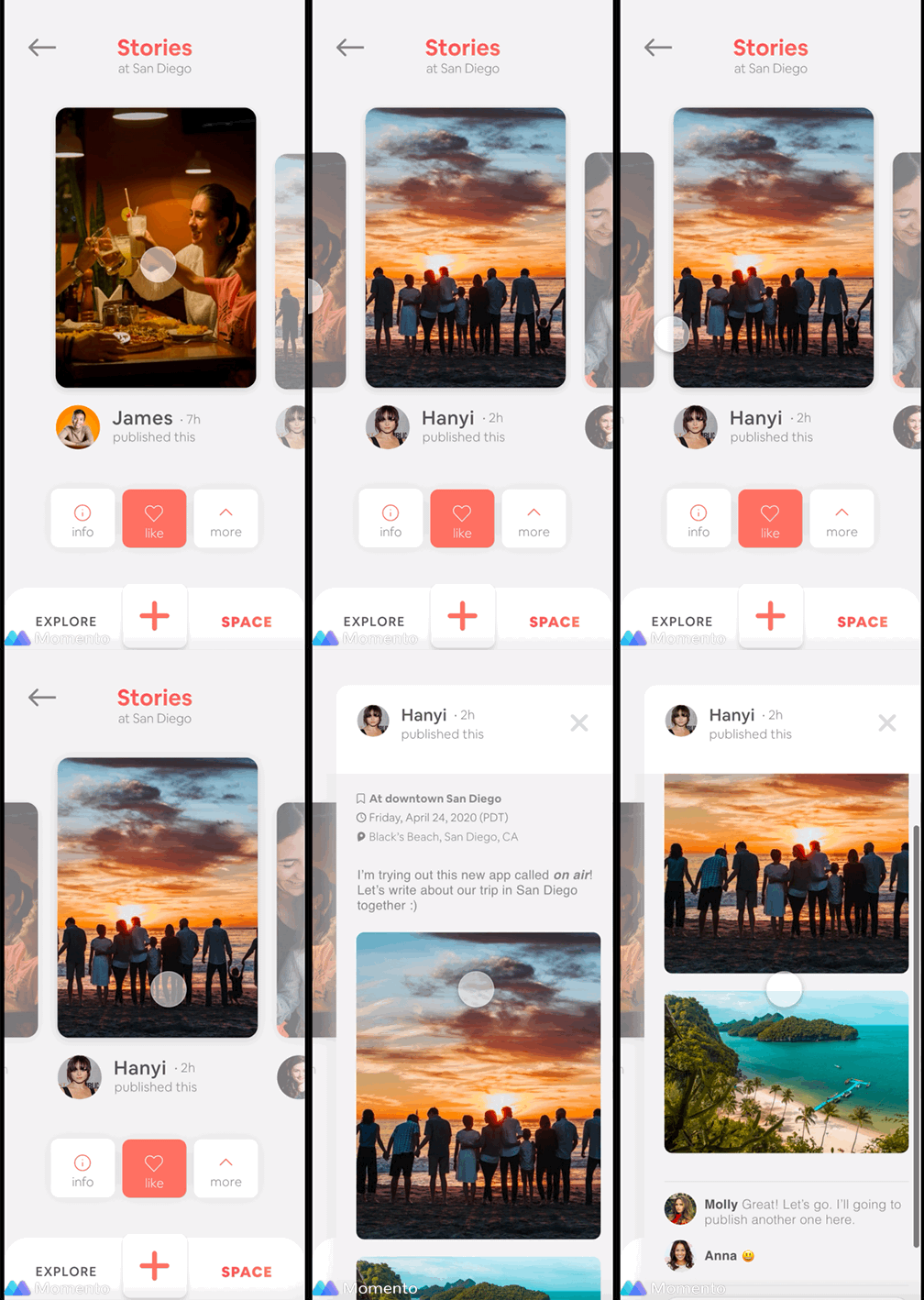
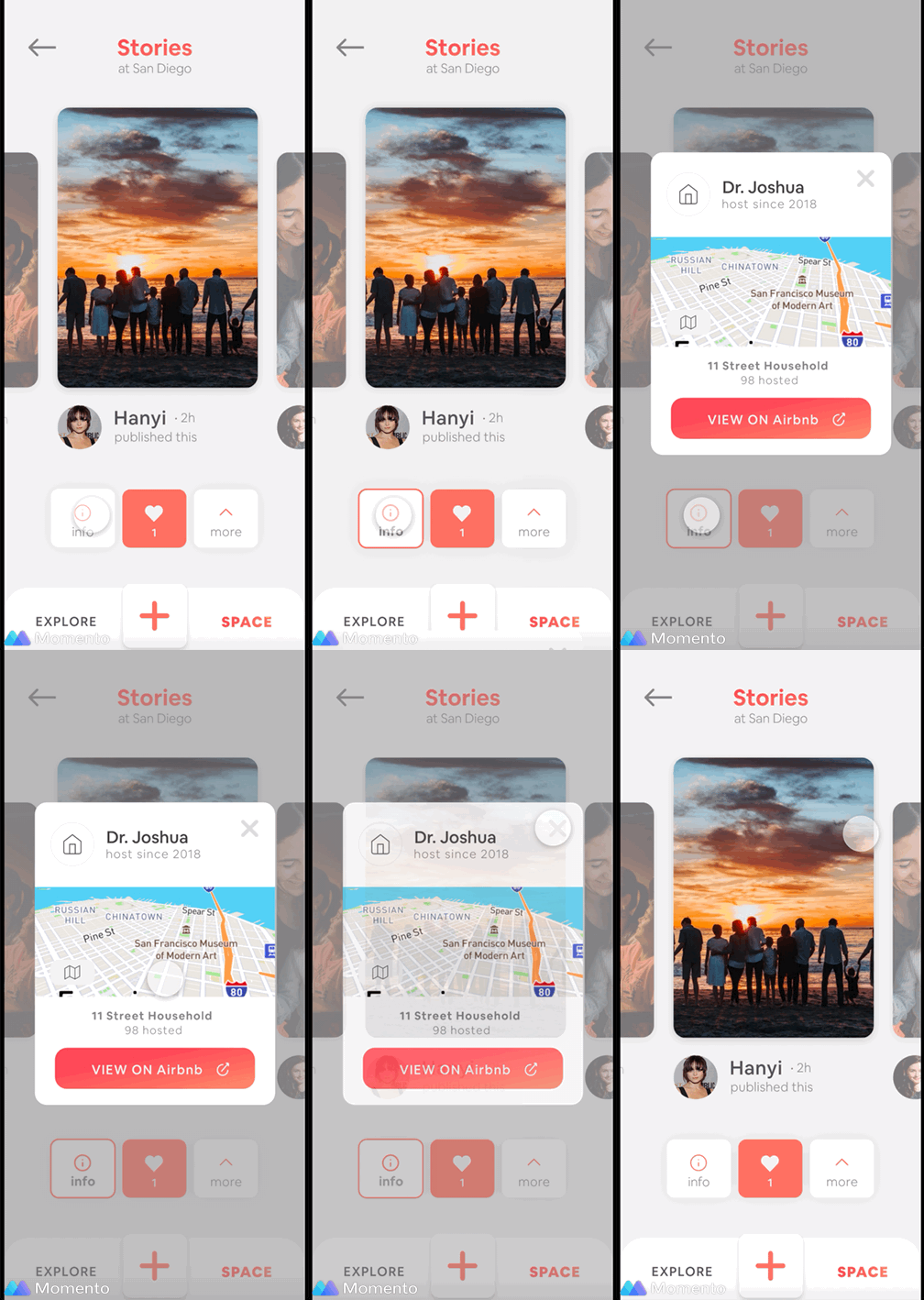
I learned to make some commonly used prototype motions by watching tutorials on YouTube plus experimenting with Adobe Xd. For the gif on the left, I made a little "trick" to achieve the effect of scrolling the text up and down without going out of the sidebar, which later turned out to be too complicated since I later learn there is a feature to control the range of scrolling text being seen.
Conclusion
Things I have learned
-
Prototyping in Adobe Xd. As my teammate had technical difficulty using Adobe Xd, I got a good chance to practice using it by building everything by myself. However, it can be expected that I still made many mistakes in building components and prototyping. (You can find them in the demo video.)
-
Know the basic workflow. Although the visual design was almost made by the other person, I still got a basic idea of the process of building an app prototype. However, the information I learned from this event was not detailed enough for me to work on my own projects.
Things to Improve
-
Is our design user-intuitive? After trying to go through the prototype one more time several months after the competition, I realized the design of the app is not user intuitive. For example, the differentiation between buttons and patterns is very unclear. (I made some mistakes in the demo video by clicking on the patterns thinking they were buttons.)
-
Did we express our ideas? There were some creative ideas during our discussion such as quickly creating a travel group/project by typing the same code face-to-face, slightly changing UI design for the children and elders, using gamification to encourage users to explore more places and share more stories (the final winning team stood out with the idea of scavenger hunting game.) However, with a tight time limit, our team ended up building a "usable" and "comprehensive" app but with very few unique and creative features.